

Client Dashboard
This section provides an introduction to the Client Dashboard.
About the Client Dashboard
The Client Dashboard gives secure access to the bank accounts created on Merge platform. The Client can sign in to the dashboard to view their accounts, register beneficiaries, initiate payments, and view transactions.
Dashboard
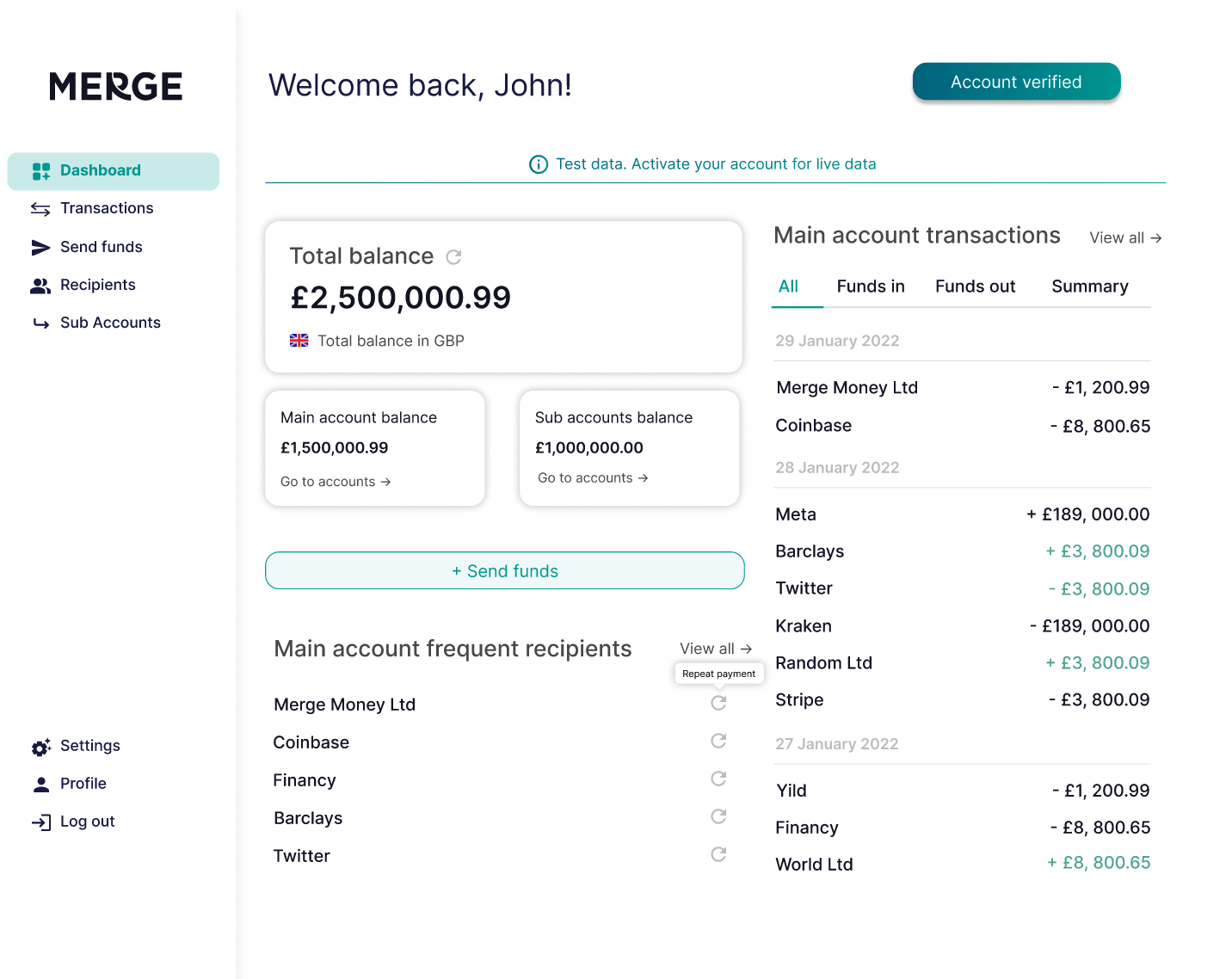
The Dashboard gives our Customer access to their Main Accounts and summarises the balance, latest transactions and frequent recipients.
Transactions
The transactions list all payments for the selected main account. The Customer could apply filters to search by payment date, type, and status.
Send Funds
The Customer can send funds to any registered beneficiary. For enhanced security, the Customer receives an OTP to authorise the payout. Once the OTP is correctly validated the payout is processed immediately, and the payment status is reflected on the dashboard.
Recipients
The Customer can register beneficiaries by adding the recipient's name, and account details. On the Client dashboard, the payouts can only be initiated to the registered beneficiary. The saved beneficiary details can be viewed at any time and modified.
Sub accounts
The Customer can view the sub-accounts and apply a filter to search by account name and number. The Customer can select an account and view its transactions. The sub-accounts are issued in the name of the Customer's legal name. Each sub-account has its bank account number to collect deposits, hold funds and issue payouts.
Reports
The Merge Dashboard provides access to downloadable reports to support operational monitoring, reconciliation, accounting, audit, and compliance requirements. Authorised users can generate and download reports directly from the dashboard based on their assigned permissions.
Maker–Approver (Four-Eyes) Workflow
The Merge Platform supports a Maker–Approver workflow (also known as the Four-Eyes Principle) for customers who require enhanced operational controls, segregation of duties, and approval-based payment processing.
Under this model, a payment can be created and submitted by one user (the Maker) and must be reviewed and approved by a different authorised user (the Approver) before it can be released for processing. This helps reduce operational errors, prevent unauthorised transactions, and strengthen internal controls.
Key Features
- Payment Queuing – Payments remain in a Pending Approval state until approved.
- Segregation of Duties – The user who creates a payment cannot approve it.
- Approval & Rejection – Approvers can approve or reject payments before processing.
- Audit Trail – Full visibility of who created, approved, or rejected a payment, including timestamps and links to the resulting transaction.
- Role-Based Access – Maker and Approver permissions are managed through user roles and access controls.
This workflow helps strengthen operational controls, reduce risk, and support audit and compliance requirements.
Updated 4 months ago